For the field hockey coach
Plan. Coach live. Learn. One loop for the whole hockey week.
Build the session and line-up at home. On the pitch, Live Training and Live Match keep the clock, next action and useful details together. Afterwards, the stats are already there.
The coaching loop
Prepare once. Stay present on the pitch. Every useful detail you capture feeds the next session, line-up and player conversation.
Before
Build the plan
Set up the session, line-up and substitutions.
- Session plan
- Line-up
- Substitution plan
On the pitch
Live
Live Training
See which drill is next. Keep time and add a note when you need to.
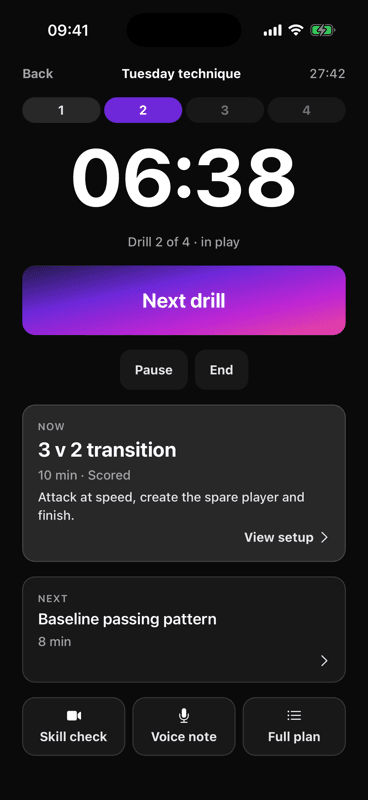
- Drill timer
- Now & next
- Notes & skill checks
Live
Live Match
See the clock and next substitutions. Record goals, cards and injuries in one tap.
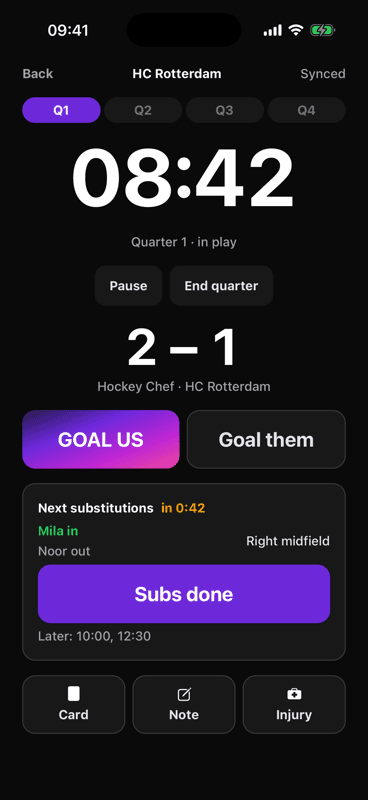
- Quarter clock
- Next subs
- Offline event log
After
Look back
See what happened. The useful facts are already there.
- Playing time
- Attendance
- Results & goals
Back into next week
Use this for the next session.
Your week
Less to juggle. More time to coach. From tomorrow's training to a player's next step: see how the app helps with each part of your week.
Training
Training tomorrow. Still no plan.
Finding drills is one thing. Turning them into a session takes your whole evening.
TrainingHow Hockey Chef helps
Choose a theme and the time you have. Hockey Chef builds a session you can adjust, with drills in order and time for each one.
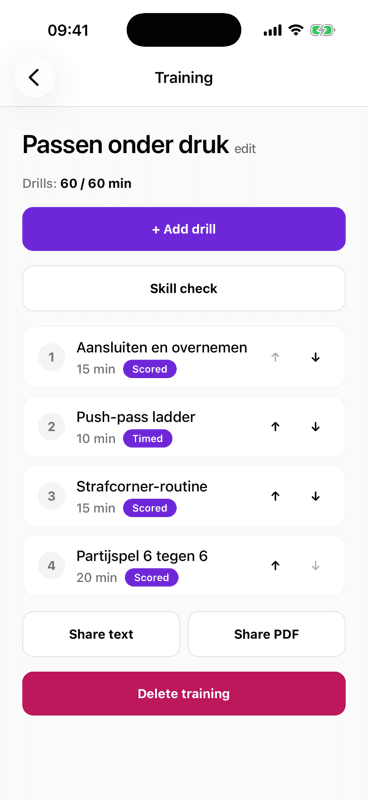
What you see in the app Each drill has a duration. The total shows how the session fits your available time.
Match day
Watch the match, not the maths.
You want to coach the play, but keeping substitutions fair takes your attention off the pitch.
Match dayHow Hockey Chef helps
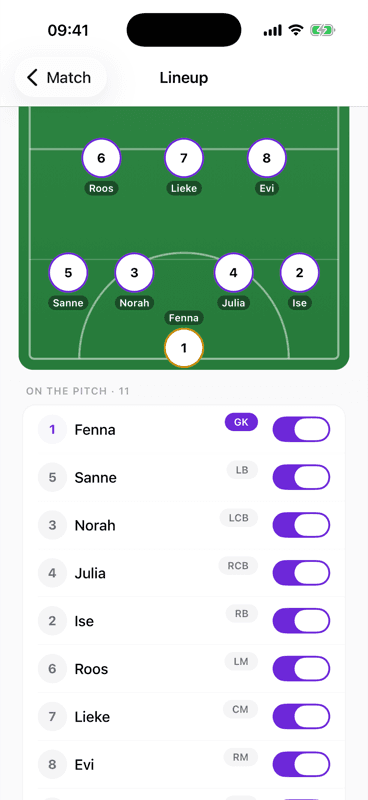
Plan the minutes before the whistle. See who comes on, who comes off and when; follow the next substitutions in Live Match.
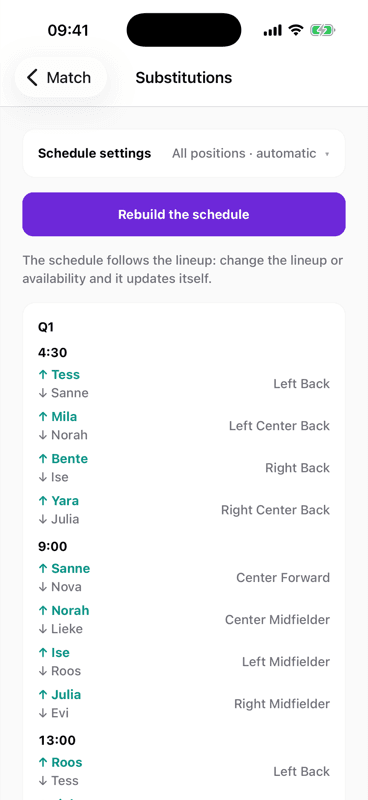
What you see in the app Every scheduled change shows the time, players coming on and off, and their positions.
Team
One squad. Too many separate lists.
You and your assistant keep checking messages to work out whose player details are up to date.
TeamHow Hockey Chef helps
Keep one shared squad with player profiles, shirt numbers and keepers. Invite your assistant with a link so you both work from the same list.
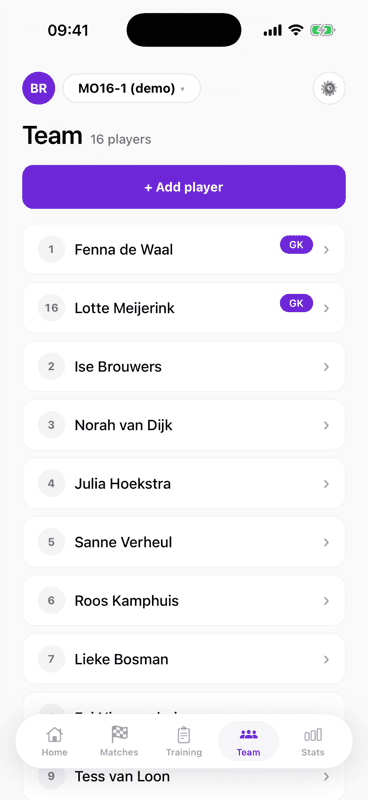
What you see in the app Players and shirt numbers sit together, with keepers marked so they are easy to find.
Stats
Questions after the match. Answers at hand.
Parents ask about results and goals. You should not have to piece the season together from memory.
StatsHow Hockey Chef helps
Turn recorded match details into a season overview. Check results and scorers, then share the summary without building another spreadsheet.
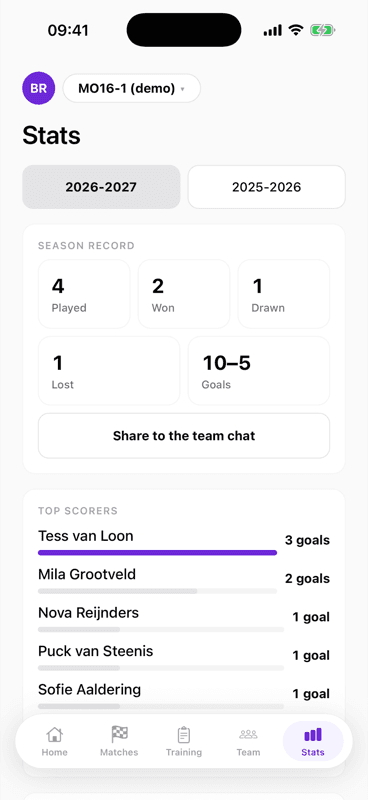
What you see in the app The season record and top scorers appear in one view, with a button to share with the team.
Skill check
One player needs help. The team needs you too.
You spot the same technique mistake again, but cannot give one player all your attention during training.
Skill checkHow Hockey Chef helps
Choose the player and skill, then record a short clip. Use the written technique feedback to give them a specific focus for the next session.
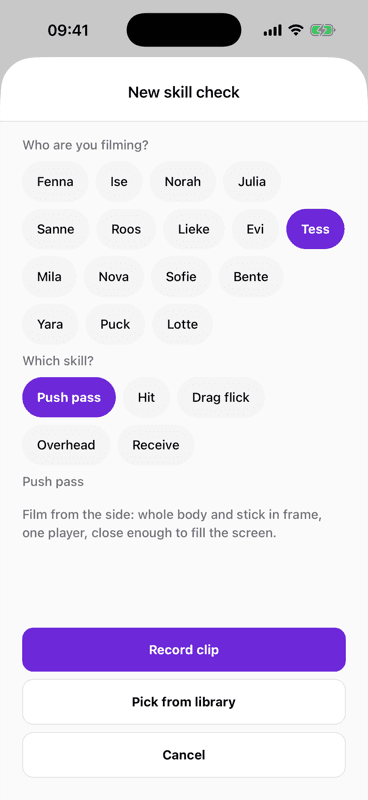
What you see in the app Select a player and skill. Filming guidance shows what to capture before you record the clip.
All of it included
Everything you need across a season, in one subscription. No tiers, no feature sitting behind a more expensive version, and no price per player.
Training
- A session plan from a theme and the time you have
- Drills with a diagram and coaching points
- Drag drills, change the timings, add one of your own
- A drill library, with video where there is one
- Live Training with a drill clock, now and next
- Share it as text or as a PDF
Match day
- A line-up per formation, with drag and drop
- A substitution plan that splits the minutes
- Live Match with the quarter clock and next subs
- Log goals, cards, injuries and notes in one tap
- The live workspace keeps running without signal
- The line-up as a message to the team chat
Players
- A squad list with shirt numbers, positions and keepers
- Bring players over from a team list you already have
- A profile and notes per player
- Speak a note instead of typing it
- Technique feedback from a clip, per player
- Guest players for one match, and assistant coaches with a link
Season
- Record: played, won, drawn, lost
- Top scorers and the types of goal
- Attendance and average playing time
- Share a card as text with the team
- Export the lot to Excel or CSV
- Per season, so last year stays last year
What this is about
Built around that half hour on a Thursday night. And around the promise that your players' names stay inside your own team.
- 10 min
- to prepare a training and a match
- $36
- per coach, per year (or $3 a month) — all your teams and assistant coaches included
- 0
- trackers, analytics SDKs and crash reporters
Questions
Before you start, you will want to know this. The questions coaches ask most often; the rest are on the FAQ page.
›Do I need to know hockey?
No. Hockey Chef is built for the parent who said yes when nobody else did. Drills come with a set-up, a diagram and coaching points, so you know what to say from the side of the pitch.
›Does it work with no signal?
The match clock, the substitutions and logging goals keep working when the network drops — exactly the things you need during a match. Everything lands once you are back online. Generating a new session does need a connection.
›What happens to the players' data?
Player names stay inside your team and on the coaches' phones. They do not go to analytics, they do not go to advertising and they do not go to an AI model. There is no analytics SDK, no telemetry and no crash reporter in the app or on this website.
›What does it cost?
$36 a year or $3 a month, for you as a coach. One subscription covers every team you run and every assistant coach you invite. There is no price per player, a second team costs nothing extra, and the coaches you bring along never pay.